A high-performance laptop is a significant investment, often costing between $1,500 and $3,500 for professional-grade hardware. However, a growing number of users report that these premium devices frequently encounter catastrophic motherboard failures almost exactly at the five-year mark. This is not a planned software obsolescence but a result of fundamental materials science. In the transition to ultra-thin designs, manufacturers moved from modular sockets to soldering components like Random Access Memory (RAM) and storage directly to the main circuit board.
While this facilitates sleeker profiles, it subjects the device to a “death clock” governed by thermal fatigue and microscopic structural degradation. Understanding the science behind these failures is critical for any buyer deciding between a “sealed” ultraportable and a modular workstation. This report utilizes extensive academic research into thermomechanical fatigue to explain why your hardware has a built-in expiration date and how to navigate the modern laptop market to save money over the long term.
The specific frustration of a “bricked” laptop—a device that powers on but shows only a black screen or enters an endless reboot cycle—is a pervasive issue in the consumer electronics industry. Most users assume the “chip” has died, but in reality, the silicon processor or memory chip is often perfectly functional. The failure almost always resides in the invisible solder joints connecting those chips to the motherboard. Every time a user executes a demanding task, the internal components heat up, causing materials to expand; when the task ends, they contract.
This cycle, repeated thousands of times, acts like a slow-motion saw, eventually snapping the electrical connections. To solve this for the buyer, one must look at the history of fatigue analysis, which began in 1842 with the Versailles train crash and was refined in the 1950s after the catastrophic breakup of de Havilland Comet aircraft. These events taught engineers that repeated, small stresses—not a single massive impact—are what truly destroy complex systems. We will use this same scientific framework to explain your laptop’s lifespan.
💰Save More with Our Discounts & Coupons!

Why does my laptop work when it’s warm but fail to start when it’s cold?
Thermal expansion is the physical phenomenon where a material’s volume increases in response to a rise in temperature. In a laptop, this expansion is unevenly distributed across different materials, such as the silicon of the CPU and the epoxy-resin of the motherboard. This creates an intermittent connection where a fractured solder joint might only make physical contact when the heat causes the materials to expand and close the gap.
When a laptop refuses to boot on a cold morning but functions perfectly after being “warmed up,” it is presenting a textbook symptom of a “cracked” or “cold” solder joint. This behavior is a direct indicator that the motherboard has entered the wear-out phase of its lifecycle. At room temperature, the microscopic fracture between the RAM chip and the board is physically separated, creating an open circuit that prevents the device from starting. However, as the device attempts to power on, the internal resistance generates heat, or a user might apply external warmth. This causes the metal in the solder and the copper pads on the board to expand at different rates. Because they are constrained, this expansion physically forces the two sides of the crack together, temporarily restoring electrical continuity.
This helps you decide between a laptop with traditional removable RAM sticks and one with soldered LPDDR5X. In a modular laptop, a cold-start failure can often be fixed by reseating the RAM or replacing a $50 module. In a soldered laptop, this symptom is the “final warning” of a dead motherboard, as the cost of professional BGA reballing often exceeds the value of the device.
| User Experience | The Technical Reality | Longevity Impact |
| Random Blue Screen (BSOD) | Intermittent high resistance in the RAM data lanes due to micro-fissures. | High Risk: Data corruption and system instability indicate late-stage fatigue. |
| “No Boot” in Winter/Morning | CTE mismatch has pulled a cracked joint open at lower temperatures. | Critical: The connection is only being held together by thermal expansion. |
| Screen Flickering/Artifacts | BGA corner ball failure on the GPU or integrated memory. | Terminal: Common in gaming laptops with poor thermal management. |
| Fan Spins, Screen Black | “No Post” state; CPU cannot communicate with the memory controller. | Final: The electrical bridge is permanently severed. |
From Experience (Pro Tip):
If your laptop starts showing these intermittent “warm-start” behaviors, do not wait for a total failure. Use the device while it is warm to back up all critical data immediately. Once the crack propagates across 100% of the joint’s surface area, no amount of warming will restore the connection. This is the moment to trade in the device while it still has “functioning” trade-in value.
Fatigue Thermomécanique: The invisible battle between silicon and epoxy
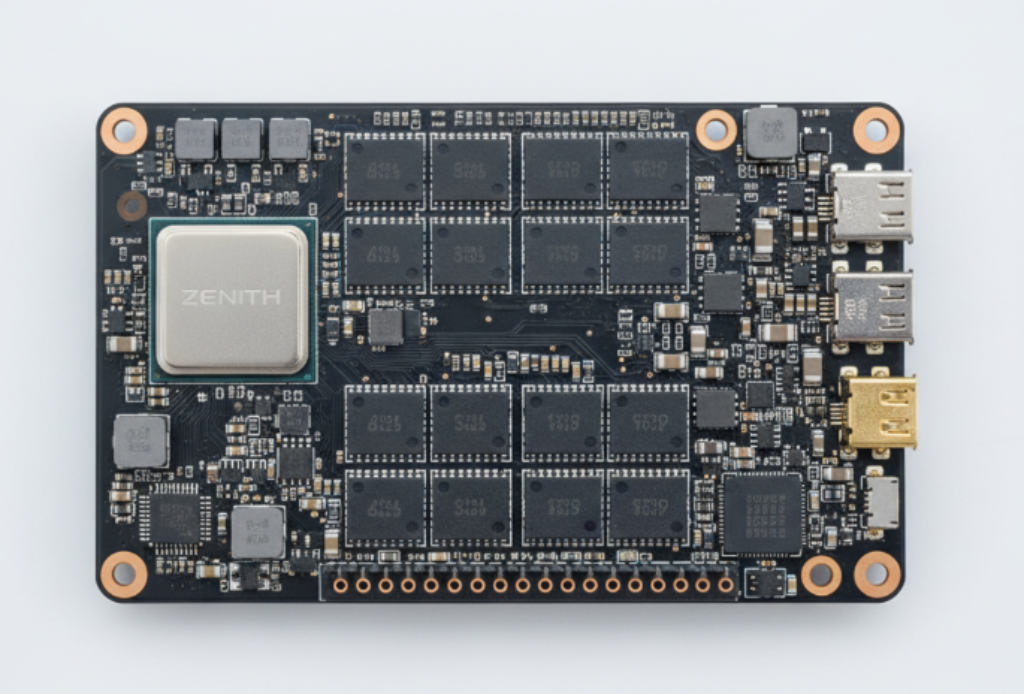
Thermomechanical fatigue is the process of structural degradation caused by the combined effects of temperature fluctuations and mechanical constraints. In electronics, this fatigue is primarily driven by the Coefficient of Thermal Expansion (CTE) mismatch between the silicon die (which expands very little) and the organic PCB substrate (which expands significantly).
Inside every laptop, a silent mechanical war is being waged. The central processor and RAM chips are made of silicon, a material with an exceptionally low CTE of approximately 2.6 to 3.0 parts per million per degree Celsius (ppm/°C). These chips are soldered onto a motherboard typically made of FR-4, a composite of fiberglass and epoxy resin with a much higher CTE of 14 to 17 ppm/°C. When you turn on your laptop, the internal temperature can jump from 25°C (room temperature) to 85°C in seconds. The motherboard tries to expand nearly six times more than the chip sitting on top of it.
Because the solder balls of the Ball Grid Array (BGA) act as the only physical connection between these two warring materials, they are subjected to intense “shear stress”. The solder is literally being pulled in two different directions at once. Over hundreds of these cycles, the metallurgical structure of the solder begins to change. The tiny grains of tin and silver coarsen, making the joint more brittle. Eventually, micro-fissures initiate at the corners of the chip—the points furthest from the center of mass—where the displacement is most extreme. This is known as the “Distance to Neutral Point” (DNP) effect, and it is the primary reason why outer-corner RAM pins are the first to fail.
The Coffin-Manson Relation: The math of your laptop’s expiration date
The Coffin-Manson relation is a foundational mathematical model in materials science that predicts the lifespan of a material subjected to cyclic plastic strain. It states that the number of cycles to failure (Nf) is inversely proportional to the magnitude of the plastic strain range (𝚫𝛜𝐩) raised to a power.
For the consumer, the Coffin-Manson relation is the reason why a laptop that runs at 95°C will fail exponentially faster than one that runs at 65°C. The relationship is defined by a power law:
In this equation, the exponent B is typically around 2 for metallic materials like solder. This means that if you double the temperature stress on your laptop’s motherboard, you don’t just halve its life—you reduce its life to one-fourth of its original span. This explains the “5-year wall” observed in ultra-thin laptops. These devices prioritize aesthetics and thinness, which leads to higher internal operating temperatures and less mechanical rigidity in the motherboard. A thinner board flexes more under thermal stress, significantly increasing the plastic strain per cycle (𝚫𝛜𝐩) and plummeting the Nf.
This helps you decide between a “Thin and Light” consumer ultrabook and a thicker, more robust “Business Class” machine like a Lenovo ThinkPad or Dell Latitude. Business machines often use high-Tg (glass transition temperature) epoxy blends and low-CTE substrates that “anchor” the expansion, keeping the strain within the elastic region rather than the plastic region of the solder. This is why a ThinkPad can often last 7 to 10 years, while a consumer-grade laptop with the same specs often fails at year 4 or 5.
The Dealibrium Take: Material Mismatch and Stress Levels
| Material Component | CTE Value (ppm/∘C) | Stress Role |
| Silicon Chip (RAM/CPU) | 2.6 – 3.0 | The “Anchor”: Rigid and refuses to expand. |
| SAC305 Solder Ball | 20.0 – 22.0 | The “Spring”: Must absorb all the movement between chip and board. |
| Standard FR-4 PCB | 14.0 – 17.0 | The “Stretcher”: Expands significantly, pulling on the solder. |
| High-Tg Specialty PCB | 6.0 – 10.0 | The “Stabilizer”: Matches silicon more closely to reduce fatigue. |
💰Save More with Our Discounts & Coupons!



Why do I feel like my “Gaming Laptop” is more fragile than a standard PC?
Thermal management issues occur when a device’s cooling capacity cannot keep pace with the heat generated by its components, leading to “internal heat soak.” In high-performance laptops, this heat accelerates a process called “creep,” where the solder joints slowly and permanently deform under the constant pressure of expansion.
Gaming laptops are the primary victims of the Coffin-Manson relation because they experience the most extreme “temperature deltas.” A standard office laptop might fluctuate between 30°C and 50°C. A gaming laptop, however, often jumps from an idle 40°C to a sustained 95°C during a play session. This massive 55°C swing creates immense plastic strain. Furthermore, gaming laptops are often pushed to their limits for hours, subjecting the solder to “dwell time” at high temperatures.
During these high-heat sessions, the solder enters a state of “creep” because the operating temperature is often higher than 0.5 times the melting point of the alloy (the “homologous temperature”). At this stage, the metal is not just expanding; it is physically flowing and weakening at a molecular level. Additionally, high-heat environments accelerate the growth of the Intermetallic Compound (IMC) layer—a brittle chemical bond (typically Cu6Sn5) between the solder and the copper pad. While a thin IMC layer is necessary for a bond, a thick IMC layer acts like a pane of glass; any slight drop of the laptop or even a rapid cooling cycle can cause the entire RAM chip to snap off the board.
Soldered RAM vs. Traditional Modules: The Signal Integrity Trade-off
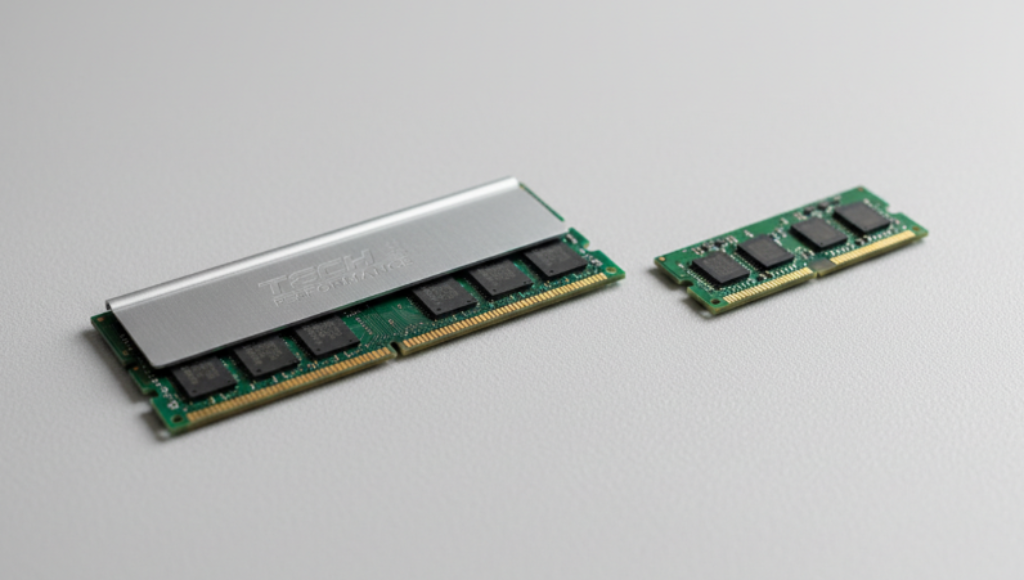
Signal integrity refers to the quality and reliability of electrical signals as they travel through a circuit. In modern high-speed memory like LPDDR5X, soldering the RAM directly to the motherboard is necessary to minimize “stubs” and trace length, which would otherwise cause signal reflections and data errors at frequencies above 6400 MT/s.
Buyers are often frustrated by the lack of upgradeable RAM in modern laptops, viewing it as a move by manufacturers to force more expensive configurations at the time of purchase. While there is an economic component to this, there is also a genuine technical driver: speed. Traditional SO-DIMM sockets use mechanical pins that introduce inductance and “signal noise”. For modern AI tasks and high-end video editing, memory needs to operate at speeds of 7500 MT/s to 8533 MT/s. Achieving these speeds requires the memory chips to be placed millimeters away from the CPU with “point-to-point” connections, which is only possible via soldering.
However, this performance comes with a reliability penalty. Because the memory is part of the motherboard, any failure in a single solder ball (out of hundreds) or a single memory chip requires a total motherboard replacement. This is particularly critical because the environmental emissions to produce a new motherboard are significantly higher than those to produce a modular RAM stick. For the consumer, this means that while a soldered-RAM laptop is faster today, it has zero “repairable future” if it encounters the 5-year thermal fatigue wall.
Dealibrium Take: Performance vs. Serviceability
| Feature | Modular SO-DIMM (Legacy) | Soldered LPDDR (Modern) |
| Max Transfer Speed | ~5600 MT/s (DDR5) | 8533+ MT/s (LPDDR5X) |
| Electrical Path | Long (Sockets + Traces) | Ultra-short (Point-to-Point) |
| Repair Difficulty | DIY: 5 minutes, No tools. | Professional: Micro-soldering only. |
| Cost of Failure | $50 (Replace RAM stick) | $600+ (Replace Motherboard) |
| Design Impact | Thicker (Socket adds 5-9mm) | Thinner (Chip is 1.1mm thick) |
The SAC305 Crisis: Why lead-free solder is more prone to failure
SAC305 is the industry-standard lead-free solder alloy composed of 96.5% Tin, 3.0% Silver, and 0.5% Copper. While environmentally safer than lead-based solder, it has a higher melting point (217°C) and is significantly more brittle, making it less capable of absorbing the mechanical stresses of thermal expansion.
The transition to lead-free solder (mandated by environmental regulations in the early 2000s) fundamentally changed the lifespan of laptops. Traditional lead-based solder was “soft” and could stretch slightly as the motherboard expanded, acting as a shock absorber for the CTE mismatch. SAC305, however, is a rigid, crystalline structure. When the motherboard pulls on it, SAC305 doesn’t stretch; it develops micro-fissures.
Recent research into SAC305 has identified a phenomenon called “strain-enhanced aging.” In high-performance laptops that stay warm for long periods, the silver-tin (Ag3Sn) precipitates within the solder begin to coalesce and coarsen. This coarsening creates large, weak boundaries within the solder ball. When a laptop is subjected to a “thermal shock”—such as moving it from a warm office to a cold car—the stress concentrated along these coarse boundaries causes the micro-fissures to propagate into a full-thickness crack. This is why laptops used in “extreme” environments (like space or high-altitude aviation) require specialized alloys like Innolot, which adds Bismuth and Antimony to stabilize the grain structure—an upgrade rarely found in consumer electronics.
💰Save More with Our Discounts & Coupons!


LPCAMM2: The technical evolution that fixes the “Soldered Trap”
LPCAMM2 (Low Power Compression Attached Memory Module) is a next-generation modular memory form factor that uses a land grid array (LGA) compression interface instead of a traditional pin-and-socket. It provides the high speed and power efficiency of soldered RAM while remaining user-replaceable and upgradeable.
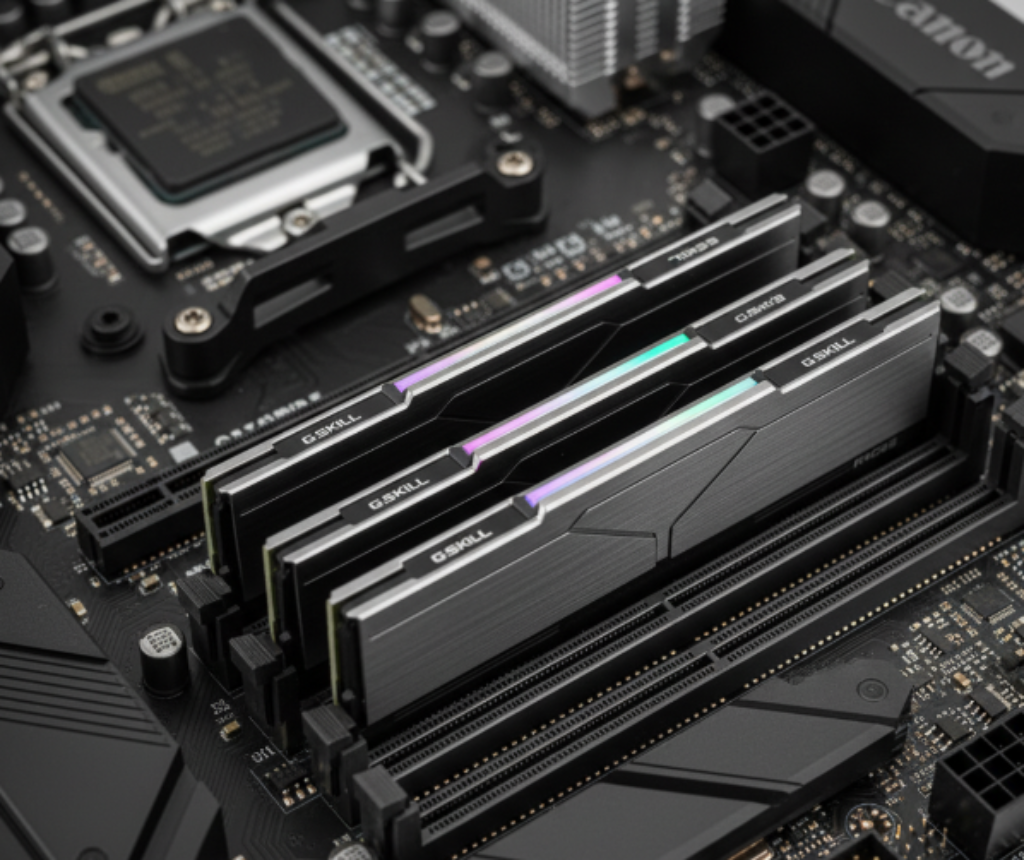
If you are a buyer concerned about the 5-year failure wall, LPCAMM2 is the most important technology to look for in a 2025 or 2026 laptop. Developed by Micron and Samsung, this standard eliminates the “motherboard swap” problem. Instead of being permanently soldered, the memory chips are mounted on a small, thin module that is screwed directly onto the motherboard. This “compression-attached” design creates extremely short electrical paths, allowing for LPDDR5X speeds of 8533 MT/s to 9600 MT/s—parity with the fastest soldered RAM.
From a longevity standpoint, LPCAMM2 is a game-changer. It uses a “screw-lock” mechanism that provides extreme vibration resistance, making it superior to traditional RAM sticks for mobile use. More importantly, it separates the lifespan of the memory from the lifespan of the motherboard. If a user experiences a thermal fatigue failure in the memory interface, they can simply unscrew the module and replace it for a fraction of the cost of a new motherboard. This technology essentially restores the 10-year potential of the laptop’s silicon by removing the 5-year “solder death” bottleneck.
Dealibrium Take: The Next Generation of Laptop Memory
| Metric | Traditional SO-DIMM | Soldered LPDDR | LPCAMM2 (New Standard) |
| User Upgradeable? | Yes | No | Yes |
| Max Bandwidth | ~45 GB/s | ~128 GB/s | ~128+ GB/s |
| Space Savings | 0% | 60% | 60% (Ultra-slim) |
| Standby Power Save | 0% | 80% | 80% (Extreme Efficiency) |
| Vibration Resistance | Moderate | Extreme | Extreme (Screw-lock) |
From Experience (Pro Tip):
When shopping for a new laptop, specifically ask if the model uses “LPCAMM2” or “Soldered LPDDR.” Many manufacturers are switching to LPCAMM2 for their 2026 lineups. This single design choice can be the difference between a laptop that lasts 4 years and one that lasts 8. It effectively future-proofs your investment against memory failure.
Why does my laptop feel sluggish even if the RAM isn’t “full”?
Software demands and “sluggishness” often stem from memory bandwidth limitations and thermal throttling. As software becomes more complex (especially AI-integrated tools), the CPU must move billions of parameters from the RAM to the cache instantly. If the memory bandwidth is too low, or if high heat is causing the system to slow down to protect the solder joints, the user experiences “lag”.
The “Science Bridge” here is that as your laptop ages and dust builds up, your system enters a state of “perpetual throttling.” To prevent the temperatures from reaching the point where the Coffin-Manson power law destroys the motherboard, the laptop’s BIOS will artificially slow down the processor and RAM. This is why an older laptop feels “slow” even on a fresh install of Windows. The hardware is literally slowing itself down to stay alive. This is exacerbated by the fact that many modern laptops use “Dynamic Voltage and Frequency Scaling” (DVFS), which intelligently adjusts power to manage heat. If your cooling system is compromised, the DVFS will permanently keep your laptop in its lowest power (and slowest) state to avoid a catastrophic thermal fatigue event.
💰Save More with Our Discounts & Coupons!


Frequently Asked Questions
This is a safety mechanism triggered by the thermal management system. High heat (>100°C) can cause the solder joints to enter a “creep” phase where they permanently deform. The system shuts down to prevent the immediate “Fatique Thermomécanique” that would snap the electrical connections.
Generally, no. Soldered RAM uses Ball Grid Array (BGA) technology, which requires an infrared rework station and precision stencils to repair. DIY attempts with a heat gun usually result in “pad cratering,” where the copper wiring is ripped off the motherboard, making the board unrepairable.
Yes. Business machines (like Dell Latitude or HP EliteBook) are designed with better thermal buffers and higher-quality PCB materials (High-Tg). They undergo extensive testing (e.g., 115,000 hours of testing for HP EliteBooks) to ensure they can survive the 5-to-7-year fatigue cycle.
Check the technical specifications for “CAMM2” or “Modular LPDDR5X.” As of late 2025, this is still an emerging feature found primarily in high-end mobile workstations and premium ultrabooks. It is distinguished by being a flat, rectangular module secured by screws.
Indirectly, yes. Keeping the battery at 100% generates constant “trickle-charge” heat, which raises the ambient temperature of the motherboard. This sustained heat accelerates the growth of the brittle Intermetallic Compound (IMC) layer in the solder joints.
Conclusion: Navigating the 5-Year Wall
The transition from modular components to soldered-down hardware has redefined the lifespan of the modern laptop. While this shift has enabled the “AI PC” era with blazing-fast LPDDR5X speeds, it has also introduced a fundamental mechanical vulnerability. The Coffin-Manson relation dictates that every thermal cycle—every time your laptop heats up to run a game or an AI model—is a withdrawal from its structural “bank account.” Once the cumulative plastic strain reaches its limit, the CTE mismatch between the silicon and the motherboard will inevitably snap the solder joints.
To maximize your investment, follow these three takeaways:
- Prioritize Thermal Efficiency over Raw Specs: A laptop that stays cool (under 75°C during load) will last exponentially longer than a thinner, hotter competitor, due to the power-law nature of thermal fatigue.
- Choose Modular Standards like LPCAMM2: If your budget allows, seek out devices using the new LPCAMM2 standard. It is the only way to get high-performance LPDDR speeds without being trapped by a “single-point-of-failure” motherboard.
- Invest in “Business-Grade” Materials: If you must buy a soldered laptop, choose one with High-Tg (Glass Transition Temperature) laminates. These specialized boards expand less and provide a more stable foundation for the solder, often extending the device’s life from 4 to 7 years.