If long hours at the computer leave your wrists, hands, or shoulders aching, you’re not alone. The standard flat keyboard wasn’t designed for the natural posture of the human body, leading to strain and discomfort. Investing in one of the best ergonomic keyboards of 2025 isn’t a luxury—it’s a crucial step toward a healthier and more productive workday.
Finding the right ergonomic keyboard can feel overwhelming with all the different shapes, splits, and features available. That’s why we’ve done the heavy lifting. We analyzed dozens of models, focusing on design, comfort, build quality, and user reviews to bring you the definitive guide. Whether you’re on a tight budget or ready to invest in a premium, fully customizable setup, we’ll help you find the perfect match.
💰Save More with Our Discounts & Coupons!
- 1
- 2
- 3
- …
- 6
- Next Page »
Our Top Picks at a Glance
For those who want the quick answer, here are the best ergonomic keyboards we tested for every need and budget.
| Keyboard Model | Category | Why We Picked It |
|---|---|---|
| Logitech ERGO K860 | Best Overall | The perfect balance of comfort, features, and price for most users. |
| Kinesis Freestyle Edge RGB | Best Fully Split | Unmatched adjustability for a truly personalized and ergonomic setup. |
| Logitech Wave Keys | Best Budget | Excellent ergonomic benefits in a familiar layout at a great price point. |
| ZSA Moonlander | Best Premium | The ultimate customizable keyboard for enthusiasts and power users. |
What is the most ergonomic keyboard in 2025?
For most people seeking immediate relief and superior comfort, the best ergonomic keyboard is the Logitech ERGO K860. Its curved, split design promotes a natural typing posture, while the plush, cushioned wrist rest provides exceptional support. It strikes the perfect balance between tangible ergonomic benefits, ease of use, and overall value without a steep learning curve.
Our In-Depth Reviews of the Best Ergonomic Keyboards
Best Overall: Logitech ERGO K860
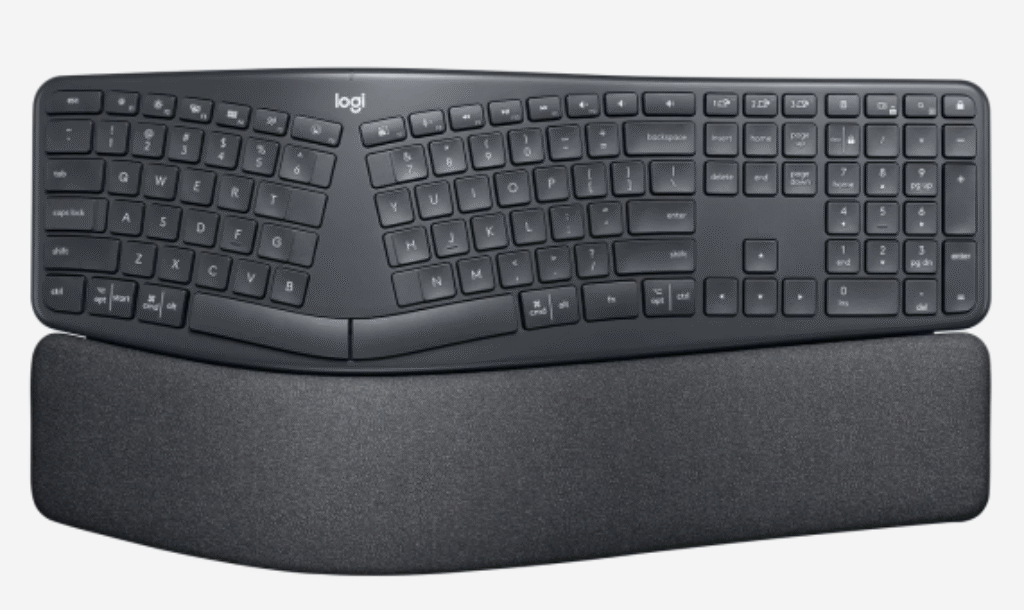
The Logitech ERGO K860 is our top recommendation because it masterfully solves the ergonomic puzzle for the average user. Its wave-like shape and split keyframe guide your hands and wrists into a more natural position, instantly reducing strain. The integrated, non-detachable wrist rest is a standout feature, offering three layers of comfortable and supportive material.
During our testing, we found the typing experience on the K860 to be quiet and satisfying. The scooped keys feel great, and its multi-device connectivity (via Bluetooth or USB receiver) makes it a versatile tool for any setup. The adjustable front legs even offer a negative tilt, which is one of the best ways to keep your wrists in a neutral, strain-free position.
Best for: Office professionals, remote workers, and anyone looking for a simple yet highly effective ergonomic solution.
Best Fully Split Keyboard: Kinesis Freestyle Edge RGB
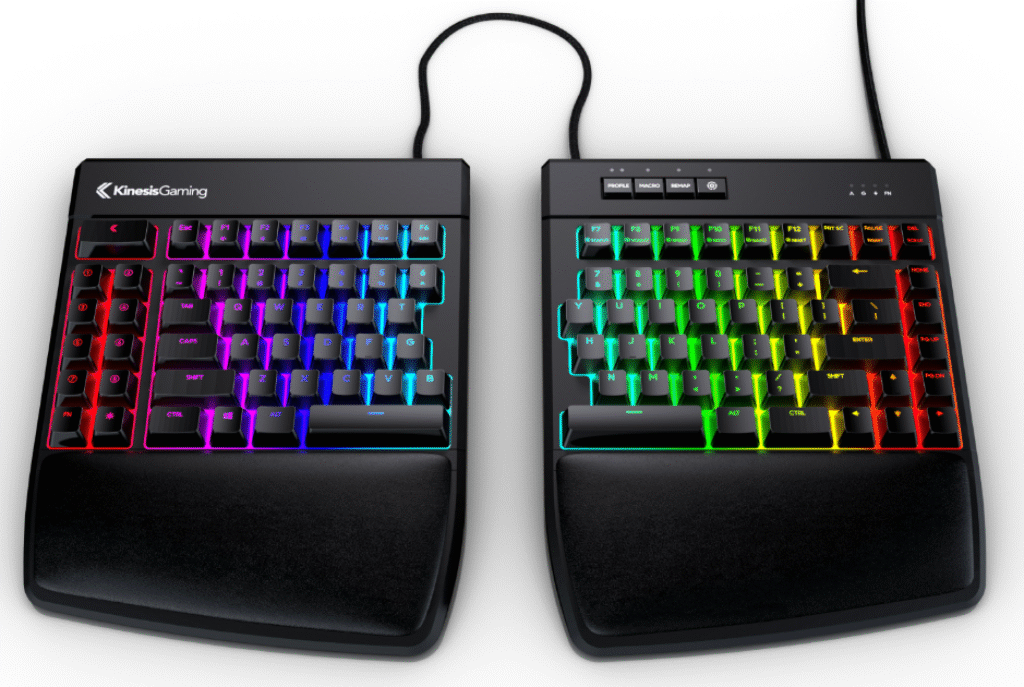
If you need maximum adjustability, the Kinesis Freestyle Edge RGB is in a class of its own. As a true split keyboard, its two halves can be positioned up to 20 inches apart, allowing you to perfectly align them with your shoulders. This design virtually eliminates ulnar deviation (outward wrist bending) and shoulder strain.
This keyboard is also built for performance, featuring responsive Cherry MX mechanical switches and fully programmable keys with powerful software. While it has “gaming” in its name, its ergonomic prowess makes it a favorite among programmers and writers who spend all day typing. An optional lift kit allows for tenting angles of 5, 10, or 15 degrees, further reducing forearm pronation.
Best for: Users with shoulder pain, advanced ergonomic needs, programmers, and gamers.
💰Save More with Our Discounts & Coupons!
- 1
- 2
- 3
- …
- 6
- Next Page »
Best Budget Ergonomic Keyboard: Logitech Wave Keys
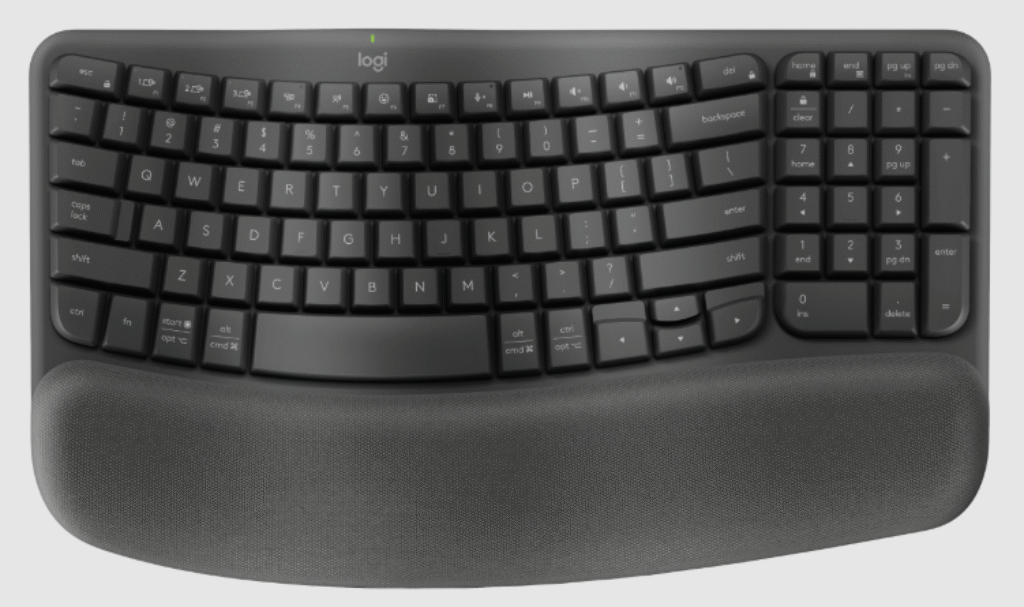
Proving that you don’t need to break the bank for comfort, the Logitech Wave Keys offers many ergonomic benefits in a compact and familiar design. As its name suggests, the keyboard has a subtle wave shape that places your hands in a more comfortable position than a traditional flat board.
The integrated cushioned palm rest adds a surprising amount of comfort and support for its price point. It’s a fantastic entry-level option for anyone curious about ergonomic keyboards who isn’t ready for a fully split design. It’s wireless, works across multiple operating systems, and delivers on Logitech’s reputation for quality.
Best for: Students, budget-conscious buyers, and those looking for their first ergonomic keyboard.
Best Premium & Customizable: ZSA Moonlander
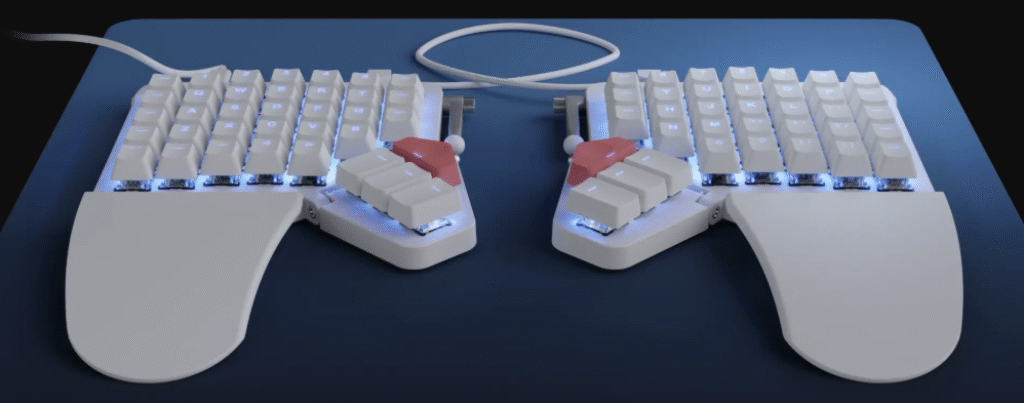
The ZSA Moonlander is more than a keyboard; it’s a completely customizable ergonomic tool. This ortholinear, fully split keyboard is for the user who wants total control over their typing experience. Every key is remappable, it features innovative thumb clusters to move common keys like Enter and Backspace from your pinkies, and its tenting legs are built right into the unit.
The learning curve is steep, but the payoff is immense. Users can achieve a typing posture that is perfectly tailored to their body, significantly reducing strain. The Moonlander also features hot-swappable switch sockets, meaning you can easily change the mechanical switches without soldering to get the exact typing feel you want.
Best for: Keyboard enthusiasts, programmers, and anyone willing to invest time to create the ultimate personalized typing setup.
💰Save More with Our Discounts & Coupons!
- 1
- 2
- 3
- …
- 6
- Next Page »
How We Tested and Why You Should Trust Us
Here at Dealibrium, our expertise goes beyond finding great prices. To determine the best ergonomic keyboards, our team focused on the criteria that matter most for long-term health and daily use:
- Ergonomic Design & Comfort: We evaluated how well each keyboard promoted a neutral wrist and forearm posture. We considered split designs, tenting capabilities, and negative tilt options.
- Typing Experience: A keyboard is useless if it’s unpleasant to type on. We tested key stability, travel distance, and overall feel, comparing mechanical switches to high-quality membrane keys.
- Build Quality: We assessed the materials, sturdiness, and durability of each model, prioritizing keyboards that feel built to last for years of heavy use.
- Features & Customization: We looked at connectivity options, backlighting, programmability, and included accessories like wrist rests.
- Overall Value: We weighed the price against the features and ergonomic benefits to determine which keyboards offer the best return on your investment.
Do Ergonomic Keyboards Really Make a Difference?
Yes, they absolutely do. According to research cited by Logitech from the University of Washington, keyboards with curved or split designs significantly improve wrist posture. An ergonomic keyboard works by encouraging a more natural alignment of your hands, wrists, and forearms.
Here’s how they help:
- Reduces Wrist Bending: Split designs allow your wrists to remain straight instead of bending outwards.
- Minimizes Forearm Twisting: “Tenting” a keyboard (angling it upwards in the middle) reduces the muscle strain associated with keeping your palms flat on a desk.
- Improves Shoulder Posture: By separating the keyboard halves, you can keep your arms shoulder-width apart, reducing tension in your neck and shoulders.
While they may not be a magic cure for existing conditions, they are a powerful preventative tool that makes daily computer use dramatically more comfortable.
Frequently Asked Questions about Ergonomic Keyboards
Ergonomic keyboards can be highly effective at helping to prevent carpal tunnel syndrome by reducing the primary risk factors. They promote a neutral wrist posture, which minimizes pressure on the median nerve running through the carpal tunnel. However, according to a study from the National Institutes of Health (NIH), there isn’t yet definitive scientific proof that they cure existing cases. They are one part of a holistic approach that includes proper posture, regular breaks, and stretching.
While the benefits are significant, there are a few potential downsides to consider:
Learning Curve: The more radical the design (like a fully split or ortholinear keyboard), the longer it can take to adjust your typing style.
Higher Cost: Due to their specialized designs and smaller production runs, ergonomic keyboards often cost more than standard models.
Larger Footprint: Many models, especially those with integrated wrist rests, take up more desk space.
Yes, in 2023, Microsoft announced they were discontinuing their standalone PC accessories line, including their popular ergonomic keyboards like the Microsoft Sculpt. They are now focusing their efforts on accessories under the Surface brand, though similar ergonomic options have yet to fully replace the old lineup.
A keyboard’s lifespan depends heavily on its type. A standard membrane keyboard may last 1 to 5 years, depending on use. A high-quality mechanical keyboard, however, can last 10 to 15 years or more. This is because their individual switches are rated for 50-100 million keystrokes and can often be repaired or replaced.
💰Save More with Our Discounts & Coupons!
- 1
- 2
- 3
- …
- 6
- Next Page »
Conclusion: An Investment in Your Health
Choosing one of the best ergonomic keyboards of 2025 is more than just a tech upgrade; it’s a worthwhile investment in your long-term health and comfort. By reducing physical strain, these keyboards allow you to work more productively and with less pain.
For most people, the Logitech ERGO K860 offers the best combination of comfort, performance, and value. However, if you have specific needs or are ready to dive deep into customization, models like the Kinesis Freestyle Edge and ZSA Moonlander provide unparalleled adjustability.
Have you made the switch to an ergonomic keyboard? Share your experience or ask a question in the comments below! And be sure to check out Dealibrium for the latest deals on these top-rated keyboards.