Choosing your next mechanical keyboard often comes down to two titans of the industry: Keychron and Logitech. Both brands offer fantastic products, but they cater to very different users. So in the Keychron vs. Logitech mechanical keyboard debate, how do you decide?
For most people, the choice boils down to a single question: Do you value deep customization, a traditional typing feel, and an enthusiast community (Keychron), or do you prioritize a sleek professional design, powerful software, and seamless multi-device workflow (Logitech)?
Keychron is the darling of keyboard hobbyists, offering incredible flexibility with hot-swappable switches and open-source firmware. Logitech, particularly with its MX Mechanical series, is the polished choice for productivity, delivering a premium, reliable experience for the modern professional. This guide breaks down the key differences category by category to help you find your perfect match.
💰Save More with Our Discounts & Coupons!
- 1
- 2
- 3
- …
- 6
- Next Page »
The Core Difference: Customization Hobbyist vs. Productivity Professional
Before we dive into the specs, it’s crucial to understand the philosophy behind each brand. This isn’t just a feature comparison; it’s a choice between two distinct approaches to what a keyboard should be.
- Keychron is for the Enthusiast: Keychron keyboards are designed to be tinkered with. They appeal to users who want to fine-tune their typing experience, from swapping out switches to reprogramming keys with advanced firmware. They offer a more “classic” mechanical feel across a huge variety of layouts and designs.
- Logitech is for the Professional: Logitech’s MX Mechanical series is engineered for a seamless “it just works” experience. The focus is on productivity, with polished software, reliable multi-device connectivity, and a sleek, low-profile design that fits perfectly in any office environment.
Keychron vs. Logitech: At a Glance
| Feature | Keychron | Logitech (MX Mechanical) |
|---|---|---|
| Best For | Customization, Hobbyists, Mac Users | Productivity, Office Professionals |
| Customization | Very High (Hot-swappable, QMK/VIA) | Low (Software-based) |
| Software | Basic or relies on open-source (VIA) | Powerful (Logi Options+) |
| Switch Options | Huge variety (Gateron, Cherry MX, etc.) | Kailh Choc V2 Low-Profile (3 types) |
| Build Materials | Plastic, Aluminum | Premium Plastics, Aluminum Top Plate |
| Aesthetics | Varies from retro to modern | Sleek, minimalist, professional |
| Price Range | ~$60 – $220+ | ~$150 – $170 |
Customization and Flexibility: Keychron vs. Logitech
This is the category where the two brands differ the most, and it’s a landslide victory for one side.
Keychron is the undisputed champion of customization. Nearly all of their popular models, from the K Pro to the Q series, feature hot-swappable switches. This allows you to pull switches out and plug new ones in without soldering, making it incredibly easy to try different types or replace a faulty one. Furthermore, their premium Q and V series boards support powerful open-source firmware like QMK and VIA, giving users granular control to remap any key across multiple layers.
Logitech takes a locked-down approach. The switches on the MX Mechanical are soldered to the board and are not hot-swappable. Customization is handled exclusively through their Logi Options+ software, which allows for reassigning function keys and creating app-specific profiles. It’s powerful for productivity but doesn’t offer the deep hardware modification that Keychron does.
🏆 Winner: Keychron. If you want to personalize your hardware, there is no competition.
💰Save More with Our Discounts & Coupons!
- 1
- 2
- 3
- …
- 6
- Next Page »
Software and Features: Logitech vs. Keychron
The tables turn when it comes to software and ecosystem integration.
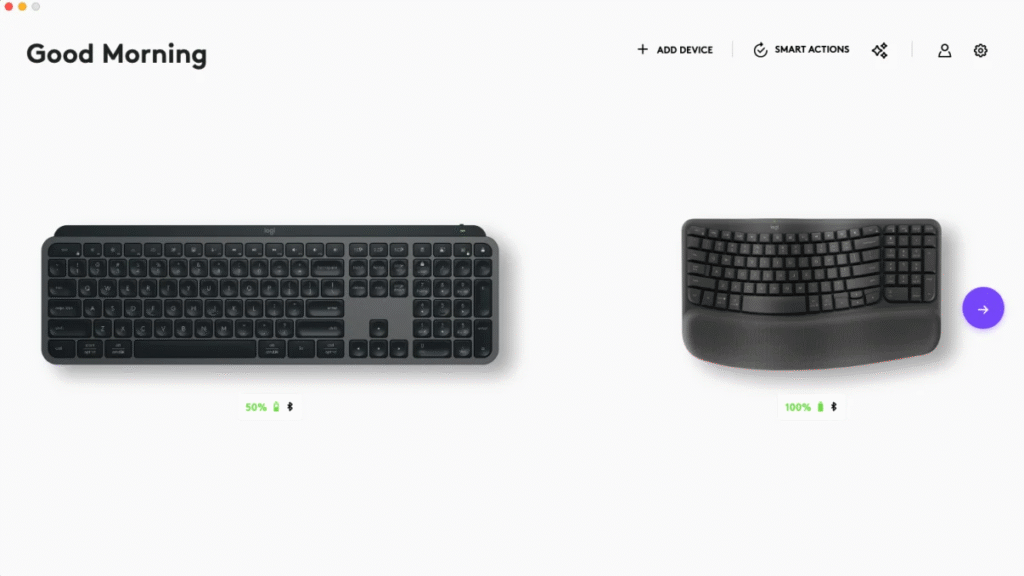
Logitech’s key advantage is its world-class Logi Options+ software. It’s incredibly user-friendly and packed with features for professionals. Smart Actions lets you automate repetitive tasks with a single keystroke, and its Easy-Switch technology for pairing with up to three devices is seamless and reliable. The Logi Bolt receiver provides a rock-solid wireless connection for a clean desk setup.
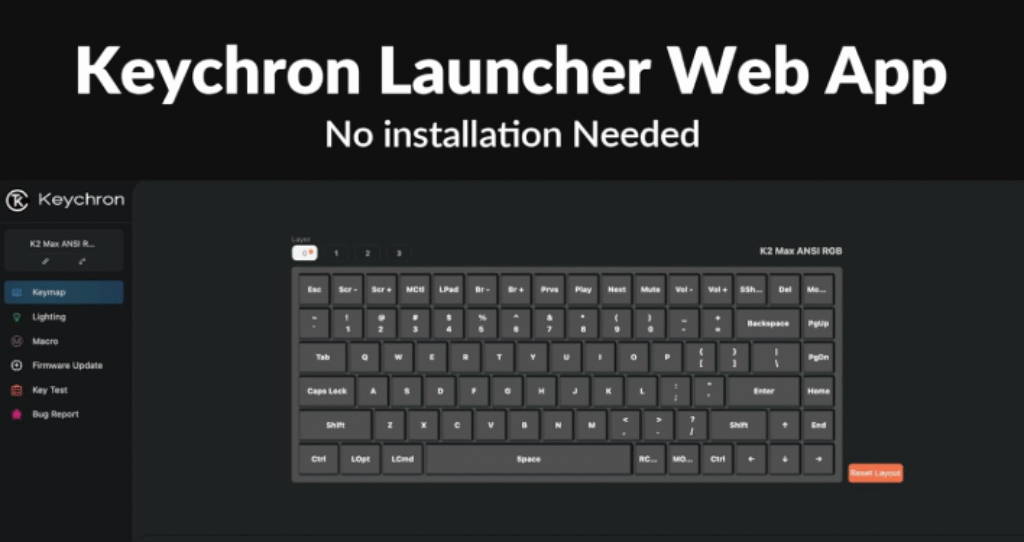
Keychron has a more fragmented software story. While their premium boards use the powerful VIA configurator, it’s more of a manual tool for enthusiasts. Some newer models have their own basic software, but it lacks the polish and extensive productivity features of Logi Options+.
🏆 Winner: Logitech. For a polished, powerful, and easy-to-use software experience focused on workflow, Logitech is leagues ahead.
Typing Experience and Switches
Both Keychron and Logitech offer an excellent typing experience, but they feel very different.

Logitech’s MX Mechanical series exclusively uses low-profile Kailh Choc V2 switches, which have a shorter travel distance. This results in a fast, responsive typing experience that feels like a hybrid between a classic mechanical keyboard and a high-end laptop. It’s available in three variants: Tactile Quiet (Brown), Linear (Red), and Clicky (Blue). The Tactile Quiet switches are exceptionally good for open-office environments.
Keychron offers a much wider variety, from traditional full-height switches to low-profile options (like on their K series). They primarily use high-quality Gateron switches but also offer boards with Cherry MX switches. This variety allows users to find a more “classic” and often more substantial-feeling mechanical experience, whether they want a deep, thocky sound or a light, linear feel.
🏆 Winner: Tie. This is purely subjective. For a traditional feel with endless options, choose Keychron. For a fast, quiet, low-profile experience, choose Logitech.
Build Quality and Design
Both brands build sturdy, premium keyboards, but with different aesthetics.
Logitech designs for the modern office. The MX Mechanical features an aluminum top plate and high-quality plastics, giving it a robust yet sleek and minimalist look. It’s slim, professional, and understated.
Keychron boards often have a more enthusiast-focused aesthetic, ranging from retro-inspired designs to minimalist aluminum blocks. Their premium Q series, built from solid blocks of CNC-machined aluminum, feels incredibly dense and substantial on the desk. However, some entry-level models use more plastic.
🏆 Winner: Logitech for a consistently premium and professional out-of-the-box feel. Keychron for sheer weight and enthusiast-grade construction on its higher-end models.
💰Save More with Our Discounts & Coupons!
- 1
- 2
- 3
- …
- 6
- Next Page »
Price and Value
Keychron offers a much broader range of price points, making them accessible to more buyers. Their entry-level K series and C series boards can start around $60-$80, while the fully-loaded, all-metal Q series can exceed $200. This range provides incredible value, especially given the high level of customization.
Logitech positions the MX Mechanical series as a premium product, typically retailing for $150 (Mini) or $170 (Full-size). While the build quality and software justify the price for many professionals, it represents a higher barrier to entry.
🏆 Winner: Keychron. With a wider range of options and more features for the money, Keychron delivers outstanding value.
The Verdict: Who Should Buy Which Keyboard?
The Keychron vs. Logitech debate is easy to settle once you know your priorities.
Choose Keychron If…
- You love to customize and tinker with your hardware.
- You want the freedom of hot-swappable switches.
- You prefer a more traditional mechanical typing feel and sound.
- You are a Mac user (Keychron offers excellent Mac support out of the box).
- You are looking for the best value and a wide range of price options.
Choose Logitech If…
- You want a premium, professional keyboard for a work or office environment.
- You value powerful, easy-to-use software for boosting productivity.
- You need to seamlessly switch between multiple computers or devices.
- You prefer a quiet, low-profile typing experience.
- You want a reliable keyboard from a mainstream brand that works perfectly out of the box.
💰Save More with Our Discounts & Coupons!
- 1
- 2
- 3
- …
- 6
- Next Page »
Conclusion: Two Excellent Keyboards for Two Different Worlds
Ultimately, both Keychron and Logitech are at the top of their respective games. Logitech has perfected the premium wireless keyboard for the productivity-focused professional, offering a flawless software and hardware experience. Keychron has captured the hearts of the enthusiast community by offering an incredible range of customizable, high-quality keyboards at an unbeatable value.
Your choice is clear: Do you want a powerful tool for work, or a personalized project for typing bliss?
Frequently Asked Questions (FAQ)
It depends on the criteria. The Logitech MX Mechanical generally has superior software, a more polished professional design, and a quieter low-profile typing feel. However, a comparable Keychron (like the Q Pro or K Pro series) offers far better customization with hot-swappable switches, open-source firmware, and is often a better value.
This is a key point of confusion. The MX Mechanical uses true mechanical switches (Tactile, Linear, or Clicky) for a more tactile typing experience. The standard MX Keys uses scissor-switches, which feel more like a premium laptop keyboard—they are much quieter and have shorter key travel.
Neither brand is primarily focused on hardcore gaming, but Keychron is generally the better choice. Many Keychron models have a more standard mechanical feel, n-key rollover, and lower latency suitable for casual and serious gaming. While the Logitech MX Mechanical can be used for gaming, its low-profile switches and productivity focus make it less ideal than dedicated gaming keyboards.