If you’ve ever used and loved the classic Logitech MX Keys, you’ve probably asked the question: “Is there a mechanical version?” The answer is a resounding yes, and its name is the Logitech MX Mechanical. This keyboard aims to blend the sleek, professional aesthetic and powerful productivity features of its famous predecessor with the satisfying, tactile feedback that only mechanical switches can provide.
But does it succeed? Is this the ultimate keyboard for professionals, or just a pricier alternative? This in-depth review breaks down the typing experience, features, and key comparisons to help you decide. We’ll compare it directly to the original MX Keys and see how it stacks up against enthusiast-favorite competitors like Keychron.
💰Save More with Our Discounts & Coupons!
- 1
- 2
- 3
- …
- 6
- Next Page »
Is the Logitech MX Mechanical Worth It? Pros and Cons
For those short on time, here’s the bottom line. The Logitech MX Mechanical is an outstanding keyboard for a specific user: the professional who craves a refined mechanical feel without sacrificing the seamless workflow Logitech is known for.
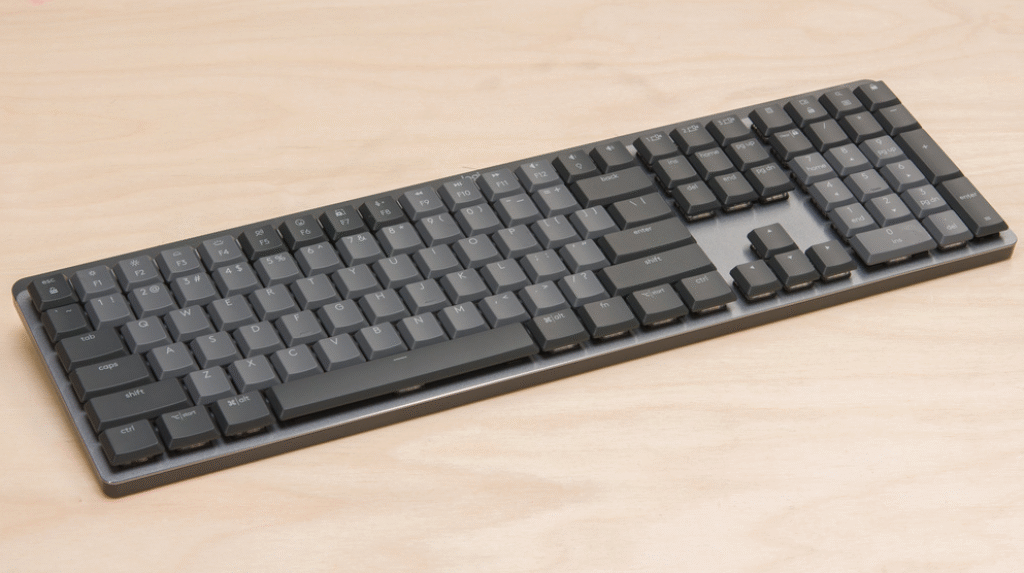
Is the MX Mechanical the Same as the MX Keys?
This is the most common point of confusion, and the answer is no. The Logitech MX Mechanical and the Logitech MX Keys are two different keyboards designed for the same audience. The core difference is the technology under the keycaps.
To put it simply: The Logitech MX Mechanical uses low-profile mechanical switches. This gives you a more pronounced, tactile keystroke with audible feedback, which many typists prefer for its precision and satisfying feel.
In contrast, the Logitech MX Keys uses scissor-switch membrane keys, similar to a high-quality laptop keyboard. This results in a much softer, quieter typing experience with very short key travel.
The choice comes down to personal preference. If you want the definitive click and tactile response of a traditional mechanical keyboard in a modern, office-friendly package, the MX Mechanical is your answer. If you prefer a silent, low-effort typing experience, the original MX Keys remains an excellent choice.
💰Save More with Our Discounts & Coupons!
- 1
- 2
- 3
- …
- 6
- Next Page »
A Deep Dive into the Low-Profile Switches
Logitech partnered with Kailh to use their excellent Choc V2 low-profile switches, giving you three distinct options to match your typing style.
Which MX Keys Mechanical Switches are Clicky?
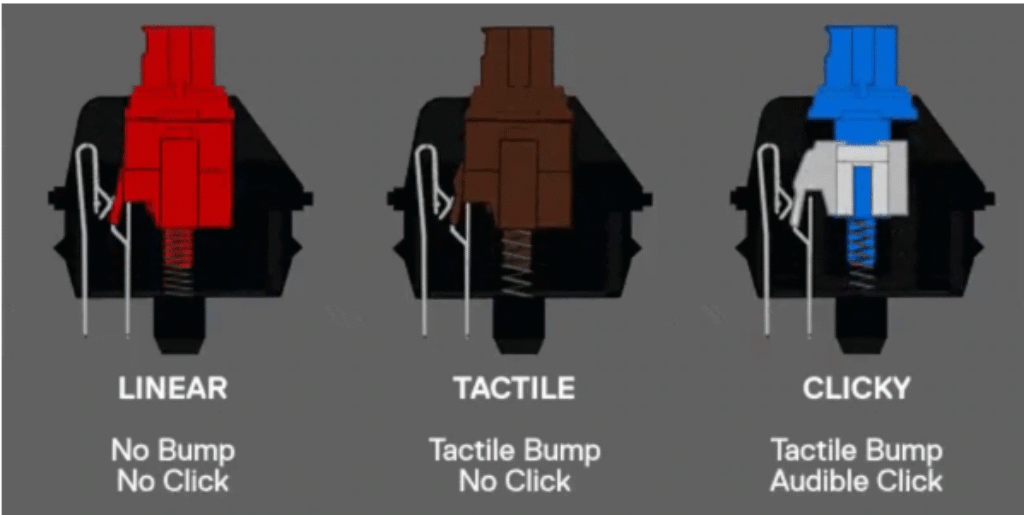
If you’re looking for that classic, audible feedback, you’ll want the Clicky (Blue) switches. They provide a sharp, clean “click” and a tactile bump with every press. While incredibly satisfying for typing, they are the loudest of the three and may not be suitable for a quiet or shared office environment.
Tactile Quiet (Brown)
This is the most popular and balanced option. The Tactile Quiet switches offer a gentle, noticeable bump when the key is actuated, confirming your keypress without a loud click. They are the perfect middle ground for professionals who want satisfying feedback while remaining considerate of coworkers, making them ideal for all-day productivity.
Linear (Red)
Linear switches are the smoothest and fastest of the bunch. They have no tactile bump or audible click, providing a straight, uninterrupted path from top to bottom. This allows for rapid, effortless keystrokes, making them a favorite among fast typists.
Logitech MX Mechanical vs. The Competition
While a fantastic keyboard, the Logitech MX Mechanical doesn’t exist in a vacuum. Here’s how it compares to its closest relatives and rivals.
vs. Logitech MX Keys S
The MX Keys S is the latest iteration of the original membrane keyboard. Both the MX Keys S and the Logitech MX Mechanical use the new, more secure Logi Bolt USB receiver. The primary difference remains the switch type. If you are committed to the mechanical feel, the MX Mechanical is the clear choice. Otherwise, the MX Keys S offers a top-tier membrane typing experience.
vs. Keychron Low-Profile Keyboards
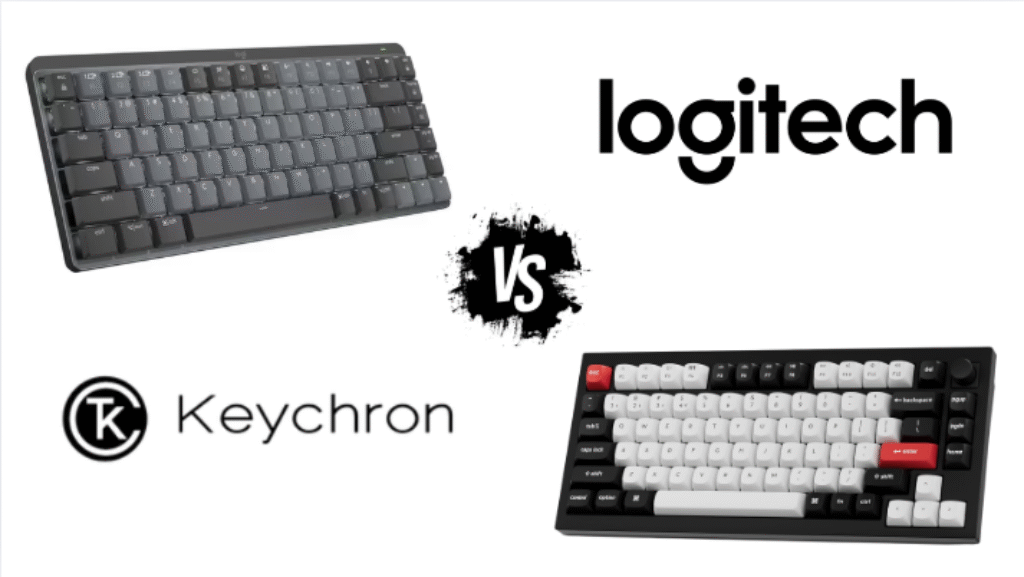
For mechanical keyboard enthusiasts, Keychron is a household name. Keychron’s low-profile K-series keyboards are the Logitech MX Mechanical‘s biggest competitor. The verdict here is clear:
- Choose Keychron if you want customization. Keychron keyboards are often hot-swappable, meaning you can easily try different switches. They also cater more to the hobbyist market with more layout options and firmware customizability.
- Choose the Logitech MX Mechanical if you want a polished, all-in-one solution. Logitech’s Logi Options+ software is more intuitive and powerful for mainstream productivity than the open-source alternatives used by Keychron. The multi-device switching is also arguably more seamless on the Logitech.
Features Built for Productivity
The Logitech MX Mechanical isn’t just about the switches; it’s packed with features that enhance a professional workflow.
Smart Backlighting & Incredible Battery Life
A standout feature is the smart backlighting. Proximity sensors detect when your hands approach the keyboard and illuminate the keys, fading away when you leave to save power. This smart power management results in exceptional battery life: up to 15 days on a single charge with the backlight on, or an astounding 10 months with the backlighting turned off. It charges via a modern USB-C port.
Customization with Logi Options+ Software
The Logi Options+ software is a massive advantage for the Logitech MX Mechanical. This powerful yet user-friendly application allows you to:
- Remap function keys.
- Create app-specific profiles (e.g., have custom shortcuts for Photoshop or Chrome).
- Adjust backlighting effects and duration.
- Use “Smart Actions” to automate repetitive tasks with simple macros.
For professionals juggling multiple applications, Logi Options+ is a game-changer that sets the keyboard apart from many of its competitors.
💰Save More with Our Discounts & Coupons!
- 1
- 2
- 3
- …
- 6
- Next Page »
Common Problems with MX Keyboards
No product is perfect. Based on user feedback and reviews, here are a few potential downsides to consider with the Logitech MX Mechanical:
- Connectivity Issues: While the new Logi Bolt receiver is very reliable, some users of older Logitech products reported occasional lag or connection drops with the Unifying Receiver.
- ABS Keycaps: The keycaps are made from high-quality ABS plastic but can develop a shine after heavy use, a common trait for the material.
- Price: It is a premium keyboard with a price tag to match. Cheaper alternatives from brands like Keychron exist, though they may lack the software polish of Logi Options+.
Frequently Asked Questions (FAQ)
The keyboard uses custom-designed Kailh Choc V2 low-profile switches. Logitech offers them in three variants: Tactile Quiet (Brown), Linear (Red), and Clicky (Blue), so you can choose the feel and sound you prefer for your office or home setup.
While you can certainly play games on it, the Logitech MX Mechanical is designed for productivity, not competitive gaming. It lacks features like a high polling rate and ultra-low latency that hardcore gamers demand. It is perfectly fine for casual gaming, however.
No, the switches on the Logitech MX Mechanical are soldered to the circuit board and are not hot-swappable. This means you cannot easily change them out for other types, limiting its customization potential compared to enthusiast brands like Keychron.
The Verdict: Who Should Buy the Logitech MX Mechanical?
The Logitech MX Mechanical successfully achieves its goal: it delivers a premium, satisfying mechanical typing experience in a package that is sophisticated enough for any office. It is the perfect upgrade for professionals, coders, and writers who work across multiple devices and value powerful software, long battery life, and a refined aesthetic.
If you are a keyboard hobbyist who loves to tinker and customize every component, or a competitive gamer needing the absolute fastest performance, this isn’t the keyboard for you. But for everyone else who has been waiting for Logitech to bring its masterclass in productivity to the mechanical world, the wait is finally over.
What are your thoughts on the Logitech MX Mechanical? Share your experience in the comments below and check out our other deals on top-tier office gadgets!